
The official V-Cert marks
The mark is the last thing we make together and the first thing your buyer sees — the months of documentation, review and testing, compressed into a centimeter of artwork on your label. This page is everything you need to print it properly: the registered artwork, the usage rules, and the data snippets that connect it to your live certificate. Use of a mark is reserved for products named on a valid certificate — the rules below are part of the certification agreement.
PNG · print-resolution · five marks — SVG and EPS masters available from the V-Cert team on request: info@v-cert.org
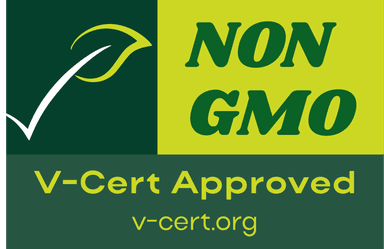
Five official marks
The registered artwork a certified product carries. Vegan, Vegetarian, Gluten-Free and Cruelty-Free are circular; the Non-GMO mark is rectangular — the family varies by background color, so never recolor a mark to match your palette. Downloads are print-resolution PNG; SVG and EPS masters come from the V-Cert team on request.
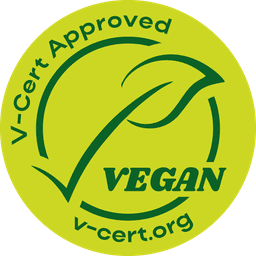
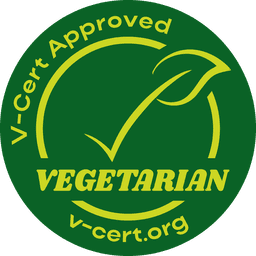
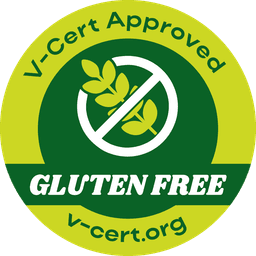
Gluten-Free
Food · supplements · small-batch producers
How the mark is used
Six rules. They keep every reproduction verifiable, legible and honest — and they are enforceable terms of the certification agreement, not suggestions.
Minimum size
Clear space
No effects
No clustering
Stay traceable
Gluten-Free threshold
Every V-Cert mark carries v-cert.org struck into the artwork.
Wire your certificate into your product data
Two integrations ship with every welcome pack. Both point buyers, search engines and AI assistants at your certificate on the portal — the certificate that can be checked beats the certificate that can't.
1. Product structured data (hasCertification)
Paste this into your product page and replace the product name, the mark name and the example number US-V-0926-0001 with your own certificate number. The url must point at your own certificate on the portal.
<script type="application/ld+json">
{
  "@context": "https://schema.org",
  "@type": "Product",
  "name": "Your product name",
  "hasCertification": {
    "@type": "Certification",
    "name": "V-Cert Vegan Certification",
    "certificationIdentification": "US-V-0926-0001",
    "issuedBy": {
      "@type": "Organization",
      "name": "V-Cert",
      "url": "https://v-cert.org/"
    },
    "url": "https://verify.v-cert.org/c/US-V-0926-0001"
  }
}
</script>
2. Google Merchant Center certification attribute
In your Merchant Center product feed, add the certification attribute to each certified product, with these three sub-attributes:
| Sub-attribute | Value |
|---|---|
| certification_authority | V-Cert |
| certification_name | The mark on your certificate — for example “V-Cert Vegan” |
| certification_code | Your certificate number — the example format is US-V-0926-0001 |
The same attribute is available through the Content API and the Merchant Center feed editor. Keep the code identical to the number on your certificate so anyone can check it.
Photography on this site is illustrative imagery produced in-house; it depicts no real client, staff member or certified facility. The binding artifacts are the marks and the certificate a buyer can check by its number.
Put a verifiable mark on your label
The review is done by a person — and if we're not the right fit for your scope, we say so at the quote stage.
Typical desk review: 5–10 business days from complete documentation.